
Everything it does today.
CapCut's ease on the surface, the depth of Premiere, Resolve and VEGAS underneath, and an AI agent that can drive it all. Every item on this page is in the editor now; what is planned is on the roadmap.
Cut fast. Trim to the frame.
CapCut's magnetic main track, snapping and linkage on top, Premiere's trim tools underneath.
- A magnetic main track, snapping and linkage keep the edit tight; titles and sound effects follow their shot.
- Ripple, roll, slip, slide and rate stretch, with a two-up preview of the frames on each side of the cut.
- Compound clips, groups, linked picture and sound for J and L cuts, lift and extract, close gaps.
- Frame-exact playback on the audio clock, J, K and L shuttle, markers that export as YouTube chapters.
A clip is split at the playhead on OpenFrame's timeline, and its new edge is dragged while a readout shows the duration.
Grade with real color tools.
Lift, gamma, gain and offset wheels, curves, HSL and LUTs, applied in Lumetri's order.
- Basic sliders, eight-range HSL, monotone curves and color wheels that agree with the vectorscope.
- 1D and 3D .cube LUTs with an intensity; 17 looks; adjustment layers grade everything below them.
- A luma waveform, RGB parade, vectorscope and histogram of the graded picture.
- Auto adjust corrects exposure and white balance from the frame, and leaves a scene that is dark on purpose alone.
The Lift wheel is dragged toward teal and the Gamma wheel toward orange; the waterfall shot's shadows cool and its midtones warm.
Type that moves.
Titles animate by letter, word or line, and you type them straight onto the picture.
- Typewriter, letter rise, word pop, highlight and underline sweeps, with a stagger and an order for any animation.
- 12 animated templates and 16 word-art looks; glow, gradient fills and a second outline.
- Double-click a title in the viewer and type: the frame redraws in the real style as you go.
- Shape layers that draw on, track mattes, motion blur from movement, wiggle, and spring, elastic and bounce eases.
CITY LIGHTS is typed into a new title over a city at dusk, then plays in letter by letter with the Letter rise animation.
Captions, made on your computer.
Whisper transcribes on your machine: no upload, no limit, no subscription.
- Readable line breaks, or one word at a time for short-form video.
- The spoken word lights up; six caption looks restyle every caption in one click.
- Edit by transcript: select words, press Delete, and the cut is made with the pause around it.
- Find and replace across captions; SRT and VTT in and out.
Captions in the Word pop look play over aerial footage, each word turning green as it is spoken.
Effects that preview on your shot.
effects and 24 transitions, drawn by the same engine that exports them.
- Library cards preview each effect, filter and transition on the selected clip's own frame.
- Masks with feather and invert, 13 blend modes, chroma key and adjustment layers.
- Remove the background on your computer, then set a title behind the person.
- Whip pans, zoom punches and spin blurs hide the cut inside the move.
The Glow effect is dropped on a skyline at dusk and the city lights bloom; its Amount and Threshold appear in the inspector.
Sound that is ready to publish.
A clean mix, measured the way platforms and broadcasters measure it.
- EQ, a compressor with Enhance voice, low- and high-pass filters, reverb, echo and tape stop, identical in preview and export.
- A live loudness meter in LUFS, and a report against online, EBU R128 or ATSC A/85 before you export.
- Normalize to -14, -16, -23 or -24 LUFS with a true-peak limiter.
- Ducking under speech, noise reduction, sync by waveform, voiceover recording and synthesized sound effects.
On a music clip the Low-pass filter is on, Hall reverb is chosen and its mix raised, then playback runs with the level meter moving.
AI that runs on your hardware.
Every model runs on your computer, downloaded once the first time you use it.
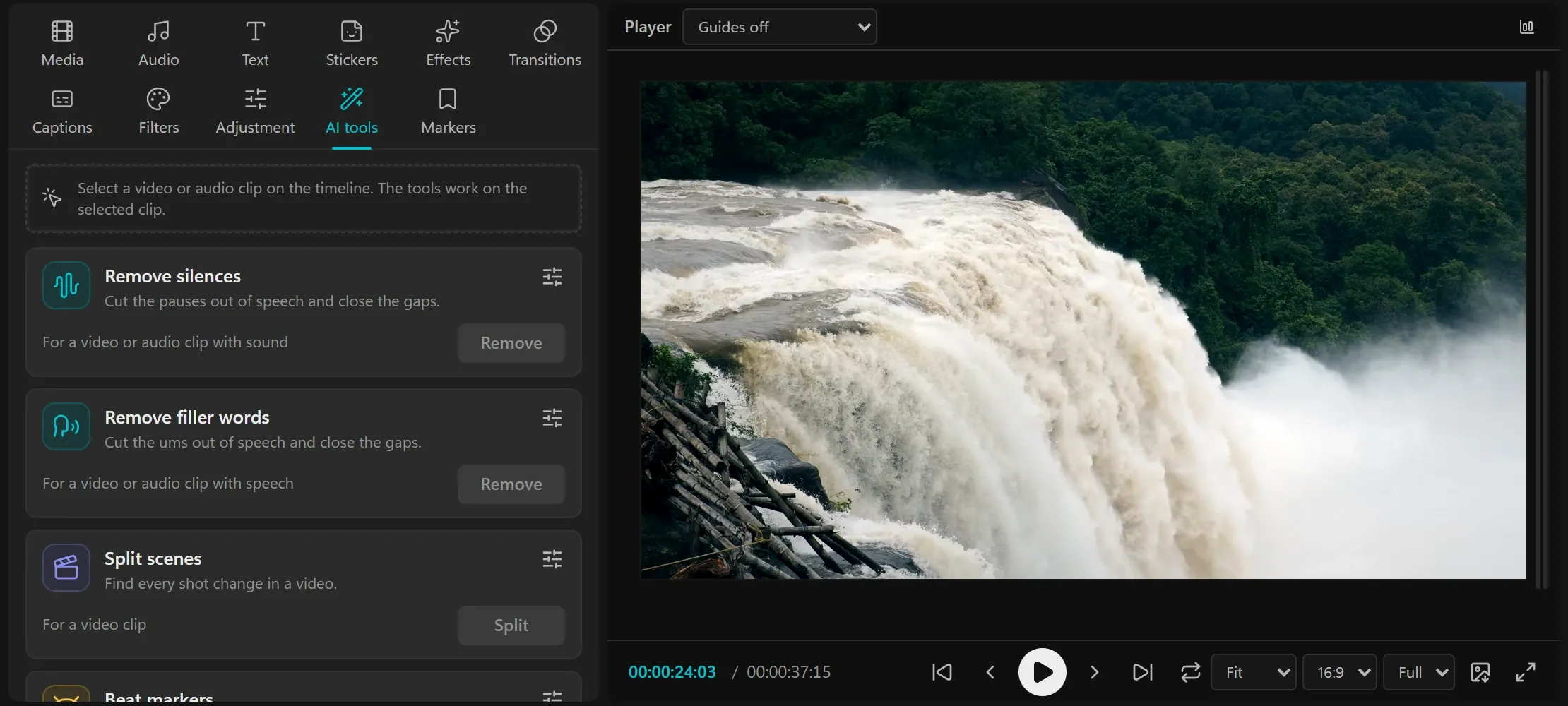
- Remove silences and filler words, split scenes, beat markers, stabilize, auto reframe and motion tracking.
- Text to speech with Kokoro, and a voiceover from a script with captions timed to the voice.
- Remove background with a segmentation model on your GPU, or on the CPU when there is none.
- The AI assistant: describe an edit and a model on your computer (Ollama or LM Studio) makes it, undoable in one step.
Every format, every screen.
From one timeline to every shape, length and platform a campaign needs.
- MP4, MOV, WebM and MKV in H.264, HEVC, VP9 or AV1, as your device encodes them; 480p to 4K.
- Presets for YouTube, TikTok, Reels and Shorts; animated GIF; audio only; a PNG of any frame.
- Versions in one step: 16:9, 9:16, 1:1 and 4:5, 30, 15 and 6 second cut-downs, a textless master.
- Timelines leave as OpenTimelineIO for DaVinci Resolve and Premiere; projects render from the command line.
The export runs from 0 to 100 percent with a frame count and time left, then the Export complete card appears.
Any AI agent can edit with you.
Turn on Allow AI agents and Claude Code, Codex or any MCP client works on your timeline, live.
- 167 MCP tools cover the whole job, from importing footage to exporting every version.
- The agent sees its own work: rendered frames, contact sheets, motion strips and a check against design rules.
- Opt-in and token-locked; the server listens on 127.0.0.1, so only programs on your computer can reach it.
- Every agent edit appears on your timeline as it happens and can be undone.
An agent fills an empty project over MCP: footage lands on the timeline, then music, a COASTLINE title, transitions, a warm look and beat markers.
And the rest of a professional editor.
The details that make long edits fast, from a keyframe graph to custom shortcuts.
-
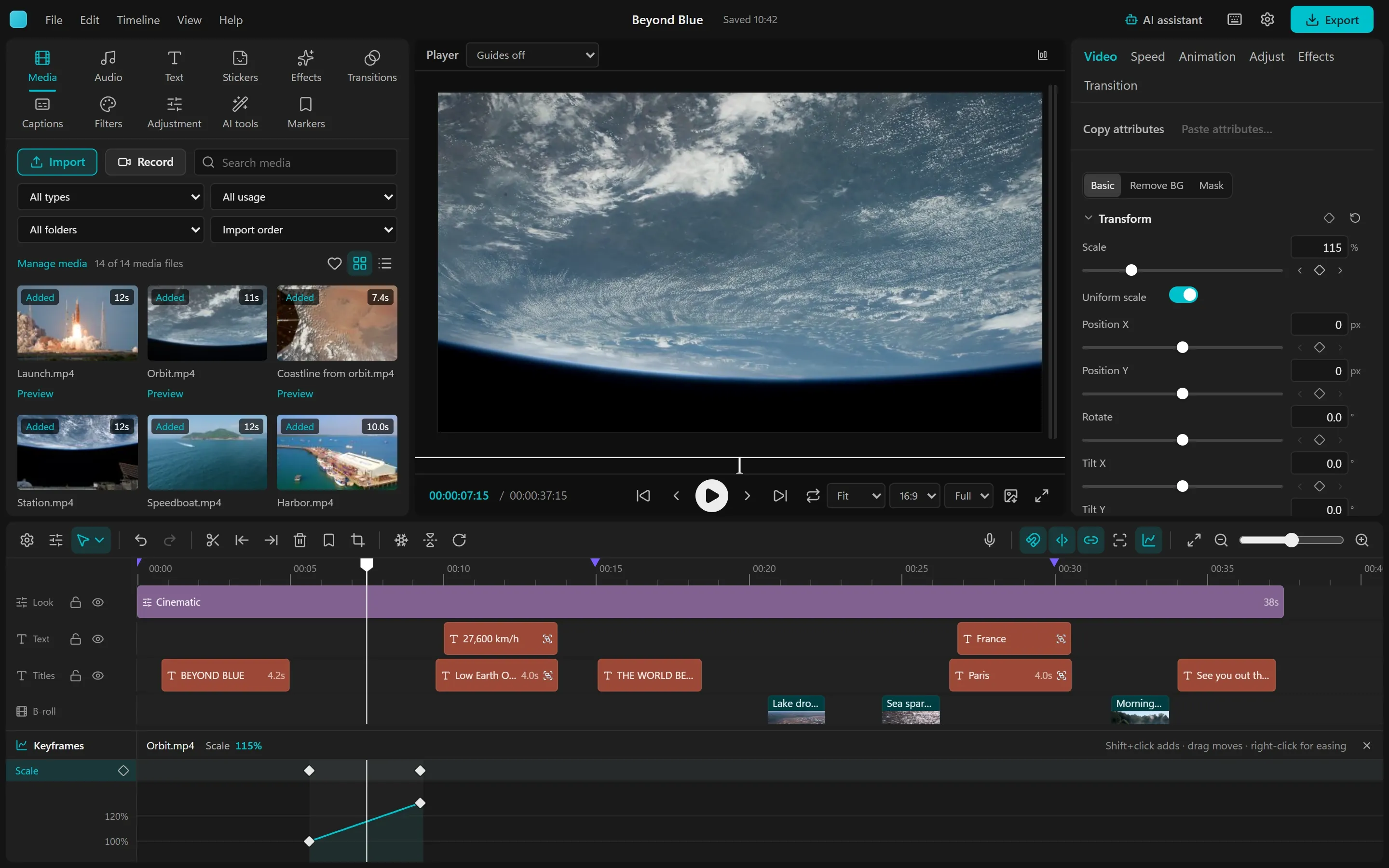
Keyframes and graphs
Every number animates. A keyframe panel docked under the timeline shows lanes and a value graph with bezier handles.
-
Speed
Constant speed from 0.1x to 100x, speed curves with presets, frame blending, and reverse with the sound reversed too.
-
Vertical and square
Canvas presets for YouTube, TikTok, Reels, Shorts and feeds, any size up to 8192 pixels, and guides for the parts of a 9:16 frame the apps cover.
-
Stickers
About 140 stickers drawn on your computer, from arrows and badges to emoji, each an ordinary clip.
-
Keyboard first
CapCut's shortcuts with Premiere's where CapCut has none, a searchable list, and every chord yours to change.
-
Projects
Autosave after every change, a home screen of projects, open JSON files, and named copies for versions of an edit.
This page follows the project's feature map, docs/Features.md, which the agents keep true to the code. The user guide shows how to use each part.