Getting started
Build OpenFrame from source and run it: the desktop app with Tauri, or the web build in your browser. There are no installers yet.
OpenFrame has no packaged release and no installer yet: you build it from the source, which takes a few commands and, the first time, a few minutes while Rust compiles. Everything below is from the repository's README and contributing guide.
Before you start
Install these first:
- Node.js and npm: for the editor's interface and engine.
- Rust: for the desktop shell.
- Tauri's prerequisites for your system: on Windows, WebView2 and the C++ build tools.
- FFmpeg and ffprobe on PATH (optional): for formats the webview cannot decode, such as ProRes and DNxHR.
The optional just task runner runs the project's combined checks with
just check. If your FFmpeg is not on PATH, point the app at it with the
OPENFRAME_FFMPEG environment variable.
Get the source
git clone https://github.com/gAlexander77/openframe.git
cd openframe/openframe-application
Run the desktop app
Install the dependencies exactly as the lockfile pins them, then start the app in development mode:
npm ci
npm run tauri dev
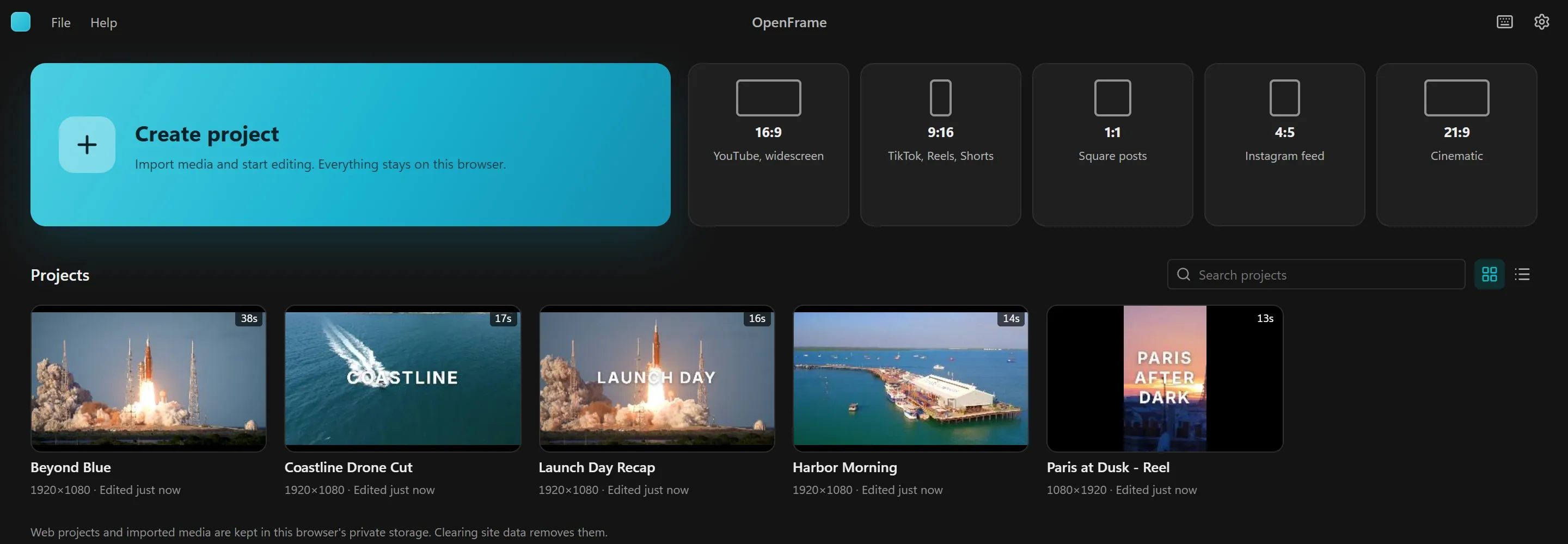
The first run compiles the Rust shell, so it takes a while; later runs are much faster. The app opens on its home screen: create a project, import a clip and start cutting. The user guide walks through a first edit.
Try the web build
The same editor also runs as a web app on your own device, with the capabilities your browser has. It needs no Rust:
npm run dev
Then open http://localhost:1420. Projects and imported media stay in your browser's private storage for that site;
clearing site data removes them. Desktop is the main product: the web build is a secondary version, and some features
(agents over MCP, FFmpeg proxies, the command line) are desktop only.
Build a desktop release
To build an optimized app for your own platform instead of the development version:
npm run tauri buildThis builds for your computer only. The project does not publish builds yet, so there is nothing to download; when it does, it will say so in the repository.
Where it runs
- Windows: the desktop app is developed and tested here (WebView2).
- macOS and Linux: Tauri builds for both, but the app has not been tested there yet. Reports are welcome.
- Browsers: the web build has been checked in Microsoft Edge on Windows. Codec and model support depend on the browser.
Next
- The user guide: a first edit, where your work is saved, and the deeper tools.
- Connect an AI agent to the desktop app over MCP.
- Contribute: report a bug, improve the docs or send a change.